 Rekit
What Subscribe & Save is
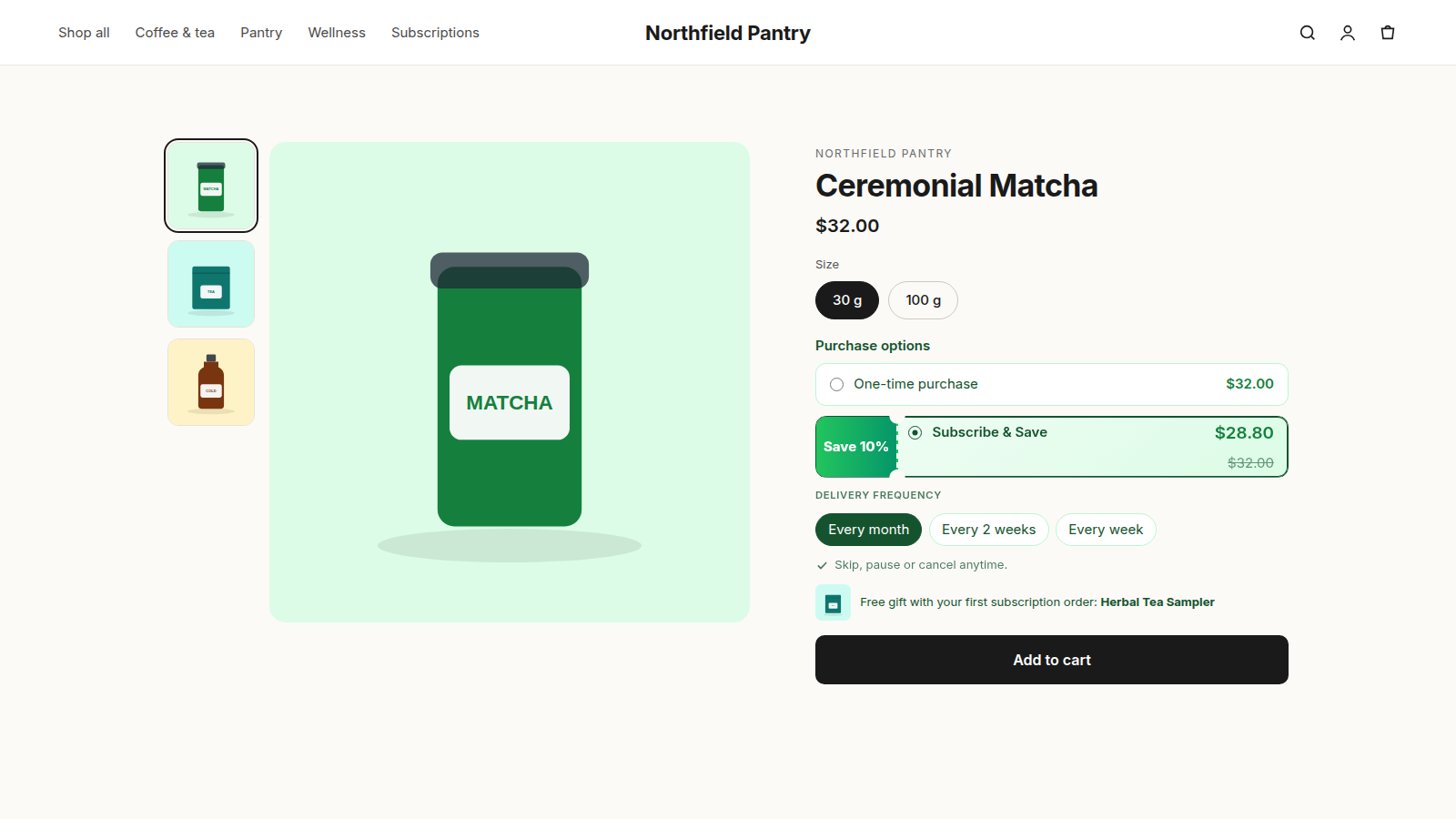
Subscribe & Save puts two choices next to the Add to cart button: buy once at the normal price, or subscribe and get the product delivered on a schedule, usually for a little less. After the first checkout, Shopify creates each new order automatically and charges the saved payment method, so the customer doesn't have to come back and reorder.
It works best for products people run out of on a schedule: coffee, tea, supplements, pet food, skincare, cleaning supplies, razors. A customer who subscribes is a customer you don't have to win again every month.
Before you start
- A payment provider that supports subscriptions. Shopify Payments does. Subscriptions are charged automatically, so Shopify only allows them with providers that can store a payment method.
- An Online Store 2.0 theme. Subscription options are added as a theme app block. Dawn and most current themes support app blocks.
- A subscription app. Shopify handles the checkout and the orders, but you need an app to create the plans, show them on your product pages and manage subscriptions afterwards. This guide uses Rekit, which is free for up to 25 active subscriptions.
Install Rekit from the Shopify App Store, approve the permissions, and open it from Apps → Rekit in your Shopify admin.
Step 1: Create a subscription plan
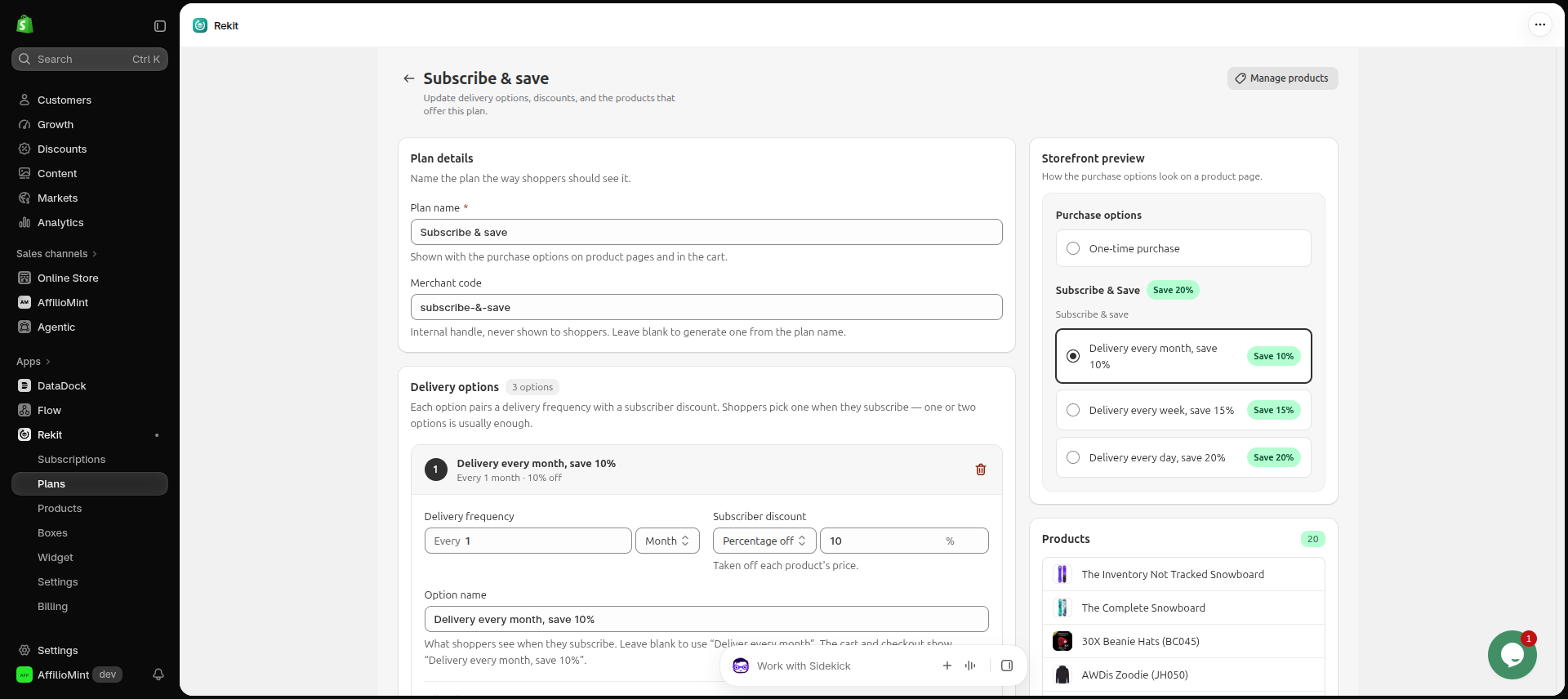
A plan sets how often customers get their order and what they save. The quickest way to start is a ready-made template.
Create a plan from a template
- In Rekit, open Subscription plans.
- Choose a template, or click Create plan to start from scratch.
- Check the delivery options and discounts, then click Save.
| Template | Delivery options | Good for |
|---|---|---|
| Monthly subscribe & save | Every month, 10% off | The simplest way to start |
| Flexible delivery | Every 2 weeks, every month or every 2 months, 10% off | Products used at different speeds |
| Weekly essentials | Every week or every 2 weeks, 5% off | Things customers run out of fast, like coffee, milk or pet food |
| Commit & save more | Every month, 15% off, for at least 3 orders | A bigger saving in return for a minimum commitment |
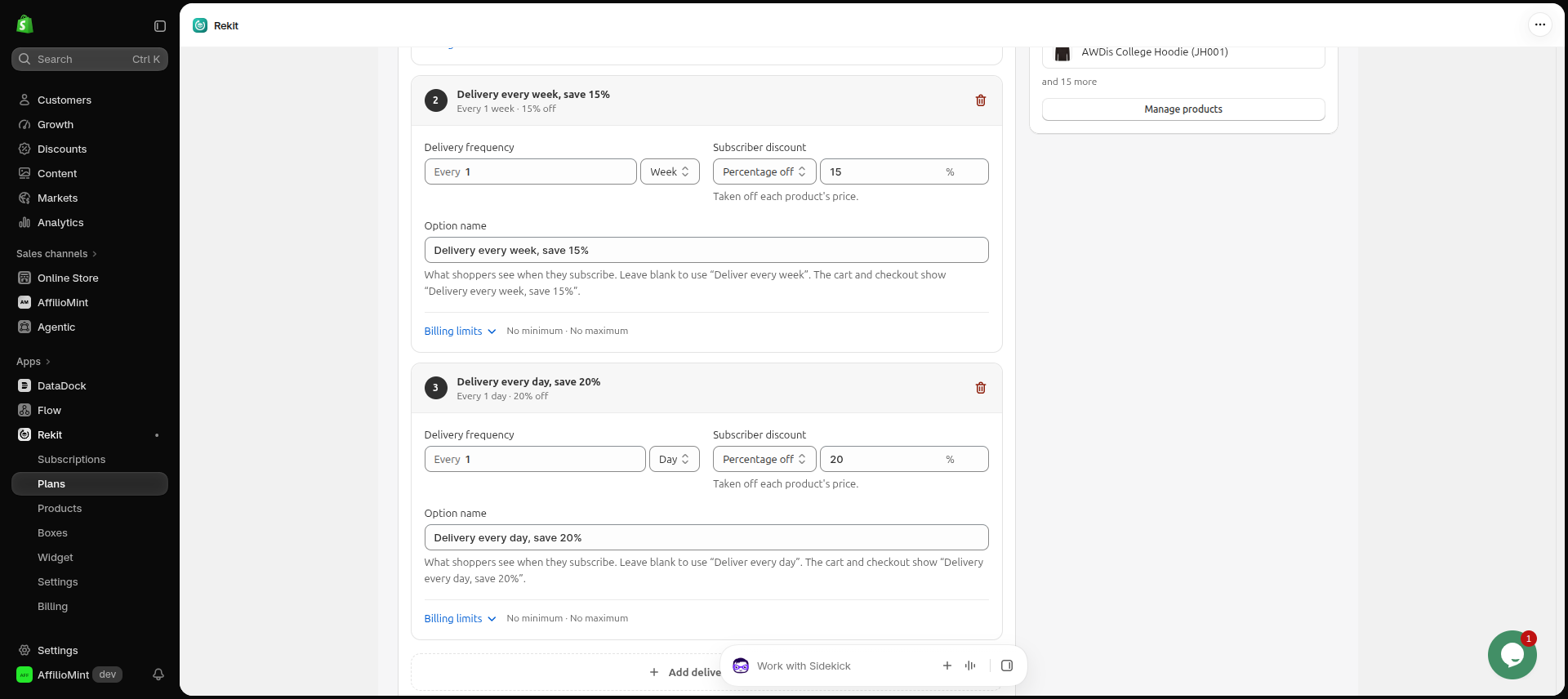
Each delivery option can have its own discount: a percentage off, an amount off, or a fixed price.
Step 2: Choose which products offer it
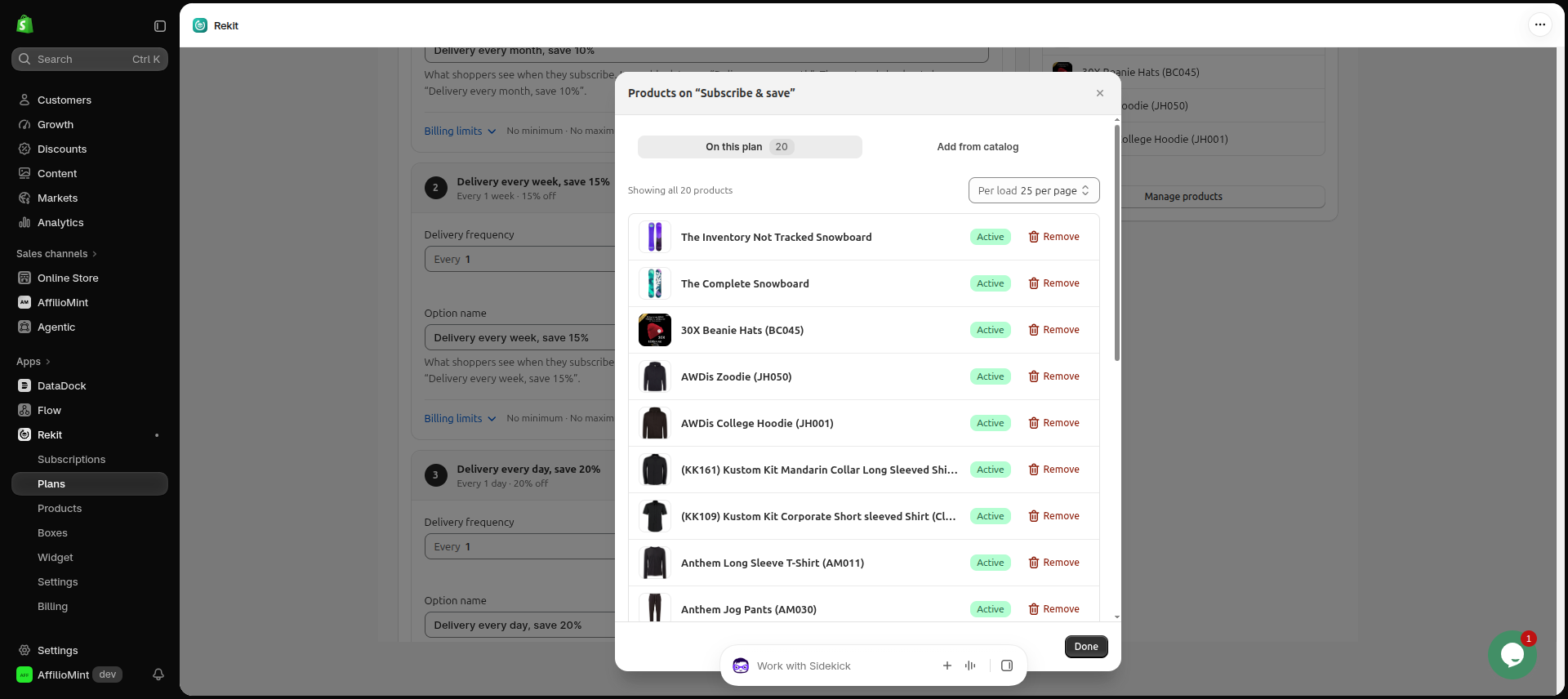
In the plan, open the Add from catalog tab, pick the products and click Save. You can add a plan to more products later from Subscription products → Assign plan.
Start with your best repeat sellers. You don't need subscriptions on every product: a gift card or a one-off accessory doesn't make sense as a subscription.
Step 3: Show it on your product pages
Add the plan picker to your theme
- Go to Online Store → Themes → Customize.
- Open your product template, for example Products → Default product.
- In the product information section, click Add block → Apps → Rekit plan picker.
- Drag the block above the Add to cart button and click Save.
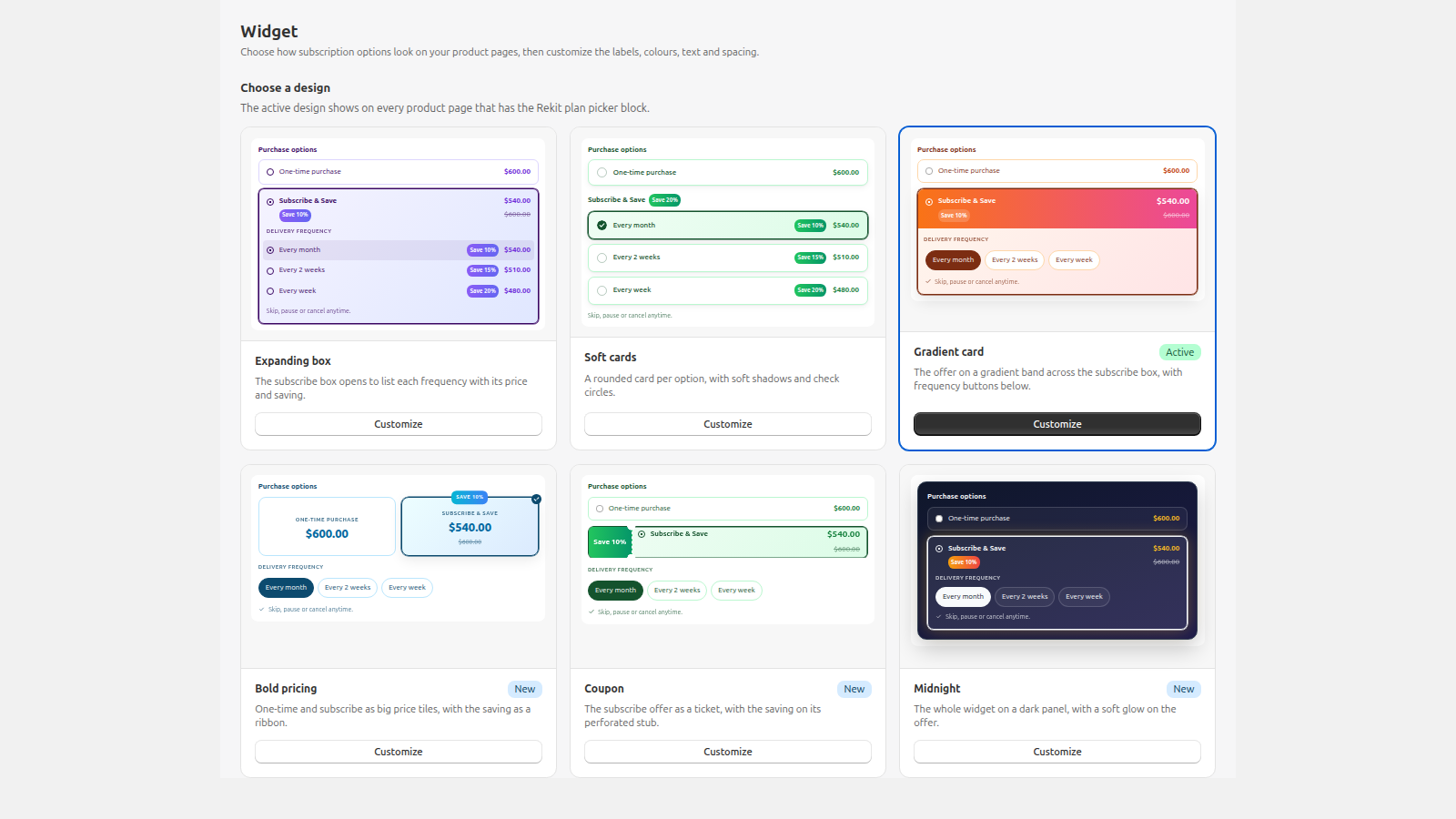
To make it match your store, open Widgets in Rekit, choose a design and adjust its text and colours. You get 2 designs on the Free plan, 4 on Chill and all 16 on Freeze.
Step 4: Give subscribers a customer portal
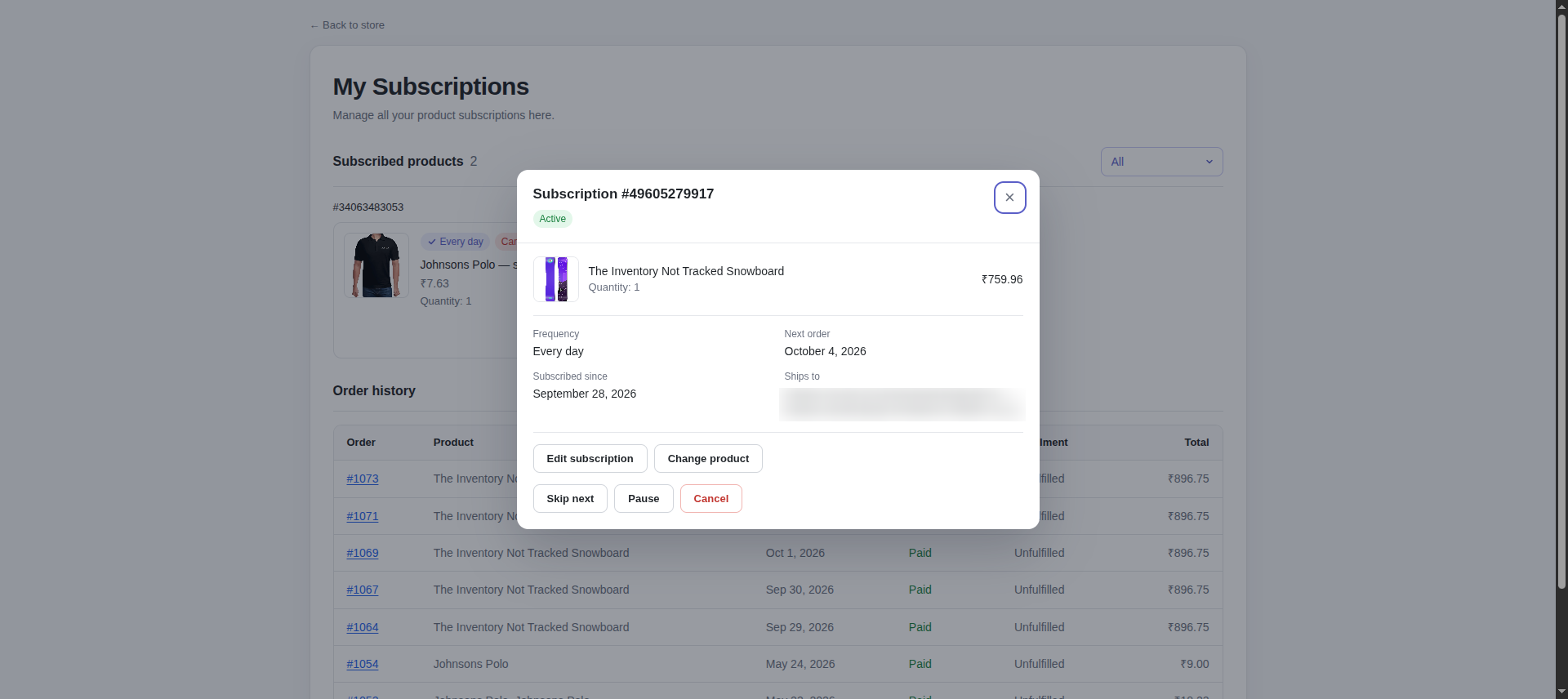
The fastest way to lose a subscriber is to make them email you to skip a delivery. A customer portal lets them skip, pause, change how often they get billed or change quantities on their own, so they adjust the subscription instead of cancelling it.
The Rekit portal is part of the Chill plan and up. Turn it on in Settings → Customer portal,
then add /apps/rekit/portal to your header menu. The setup guide walks through it.
Step 5: Place a test order
- Turn on test mode for your payment provider, for example Shopify Payments test mode, or use the Bogus gateway on a development store.
- Open a product with the plan, choose the subscription option and check out.
- In Rekit, open Customer subscriptions: the new subscription is there with its next order date.
Turn test mode off again before real customers check out.
How much discount should you offer?
Most stores offer between 5% and 15% off. Rekit's templates use 5% for weekly essentials, 10% for monthly plans and 15% when the customer commits to at least 3 orders. Pick a number your margin can carry on every renewal, not just the first order.
Other ways to reward subscribers without a deeper discount:
- A free gift with the first order, such as a sample or an accessory. It makes the first subscription order feel special and costs you once.
- Loyalty discounts: an extra percentage off from an order you choose, for example 5% more from the 4th delivery. It rewards subscribers who stay.
- A commitment discount: a bigger saving for a minimum number of orders.
All three are on Rekit's Free plan.
FAQ
Does Subscribe & Save work with my theme?
It works with Online Store 2.0 themes, which support app blocks. That includes Dawn and most themes released since 2021.
Can customers cancel on their own?
Only if you allow it. In Rekit → Settings → Subscription policies, you choose whether customers can cancel, pause or skip without contacting you. On the Freeze plan, customers who try to cancel are offered a skip or pause first.
What happens when a renewal payment fails?
On Chill and up, Rekit retries failed payments every 3 days and cancels the subscription after the number of failures you choose.
What does it cost?
Rekit is free for up to 25 active subscriptions. Chill is $5/month ($59/year) and Freeze is $10/month ($119/year), both with 0% transaction fees and a 7-day free trial.
Add Subscribe & Save to your store
Free for your first 25 subscriptions. No code, no transaction fees.