 Rekit
Feature 1 of 11
Subscribe & save plans
Turn one-time buyers into repeat customers.
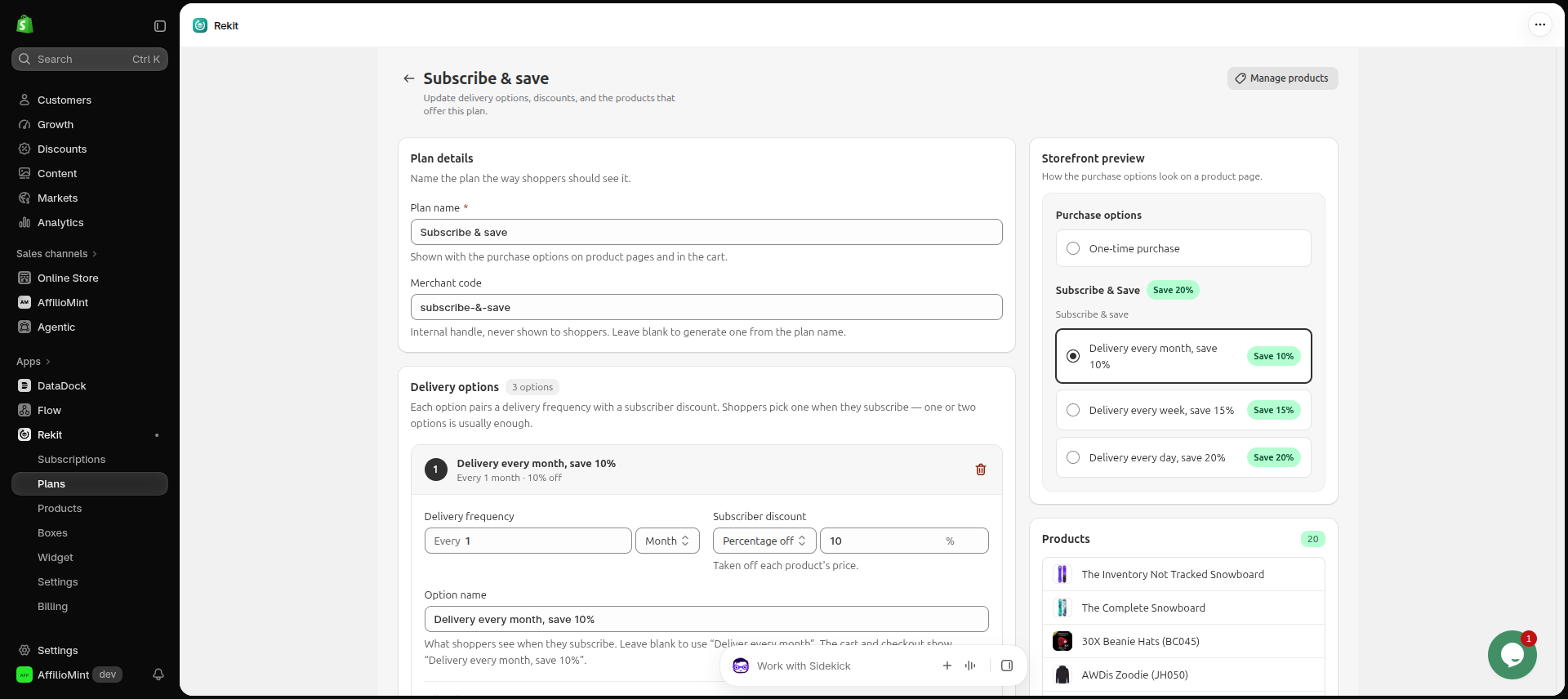
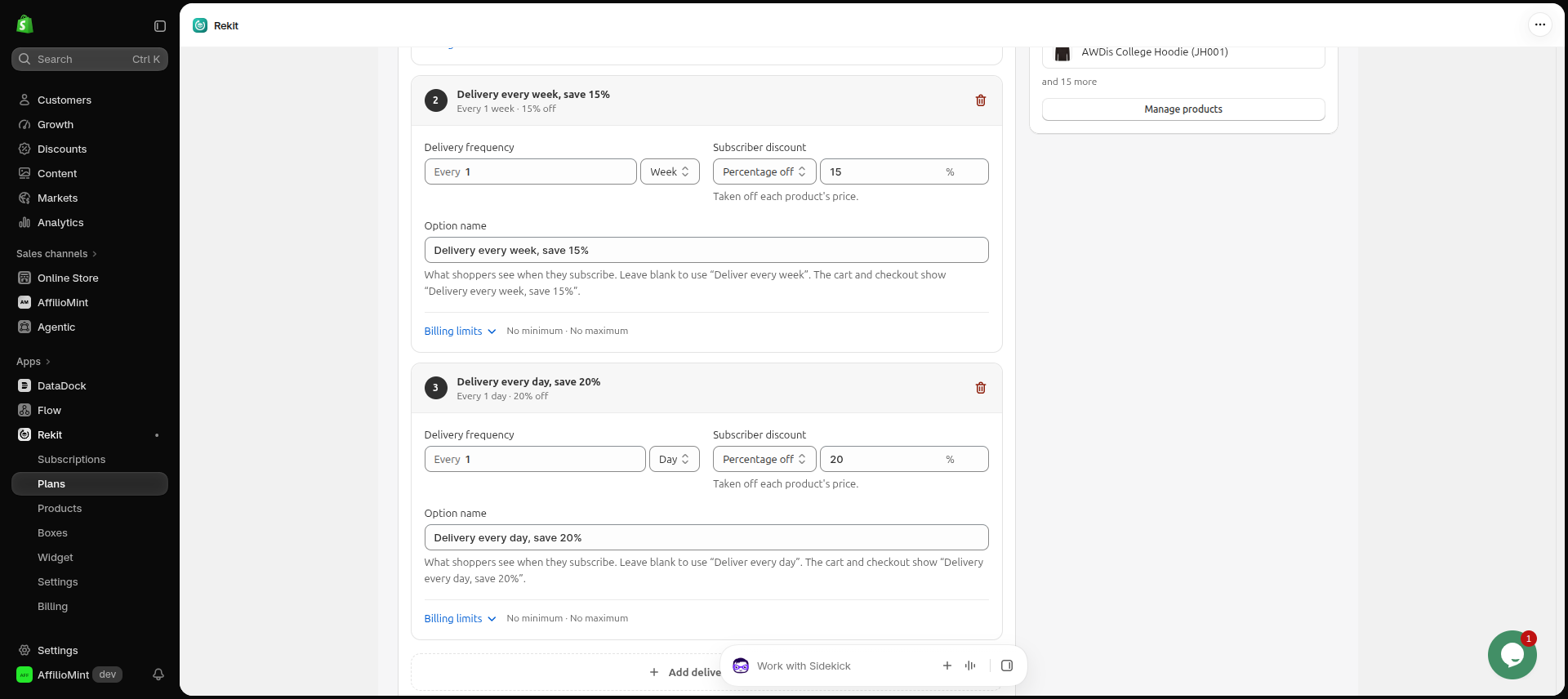
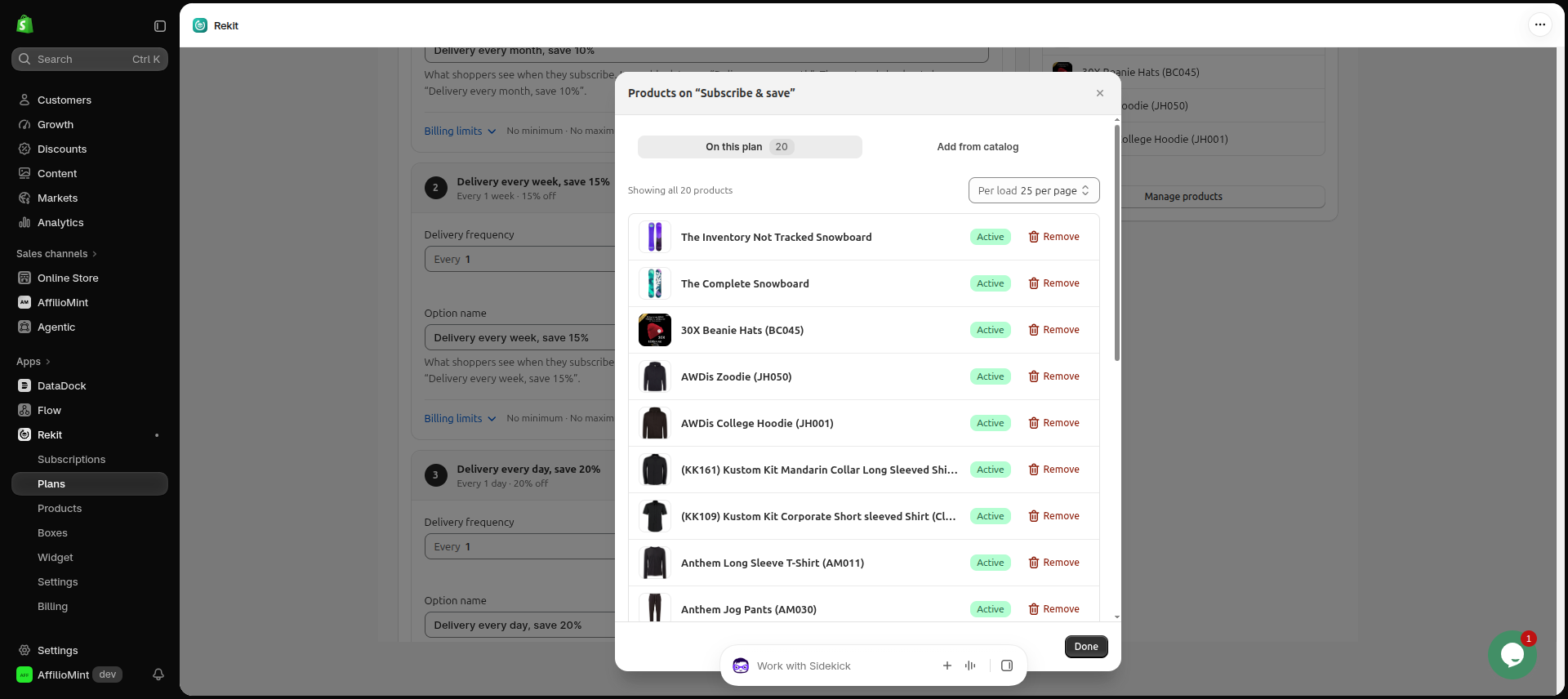
Create a plan in a few clicks. Choose how often it delivers, for example every week or every month, and how much subscribers save on each order. Add the products you want, and see how it will look on your store before you save.
On the Freeze plan, any delivery option can be prepaid: customers pay for 2 to 12 deliveries upfront at checkout, for example 3 months of coffee, and each delivery still ships on schedule with nothing more to pay. Prepaid options need a subscriber discount. Customers can cancel a prepaid subscription, but not skip or pause it, because its deliveries are already paid for.
How it helps you grow
- Steady, predictable income from customers who reorder automatically.
- Prepaid options bring the money in upfront and keep subscribers for the whole prepaid period.
- Turn a plan off from the plans list to stop new subscriptions for a while, and on again later. Its products come back with it, and current subscribers keep getting their orders.
- Offer a few delivery options with different savings, so every shopper finds one that fits.
- Add or remove products any time from one list. No theme code needed.
Feature 2 of 11
Subscribe right on the product page
Make subscribing the easy choice.
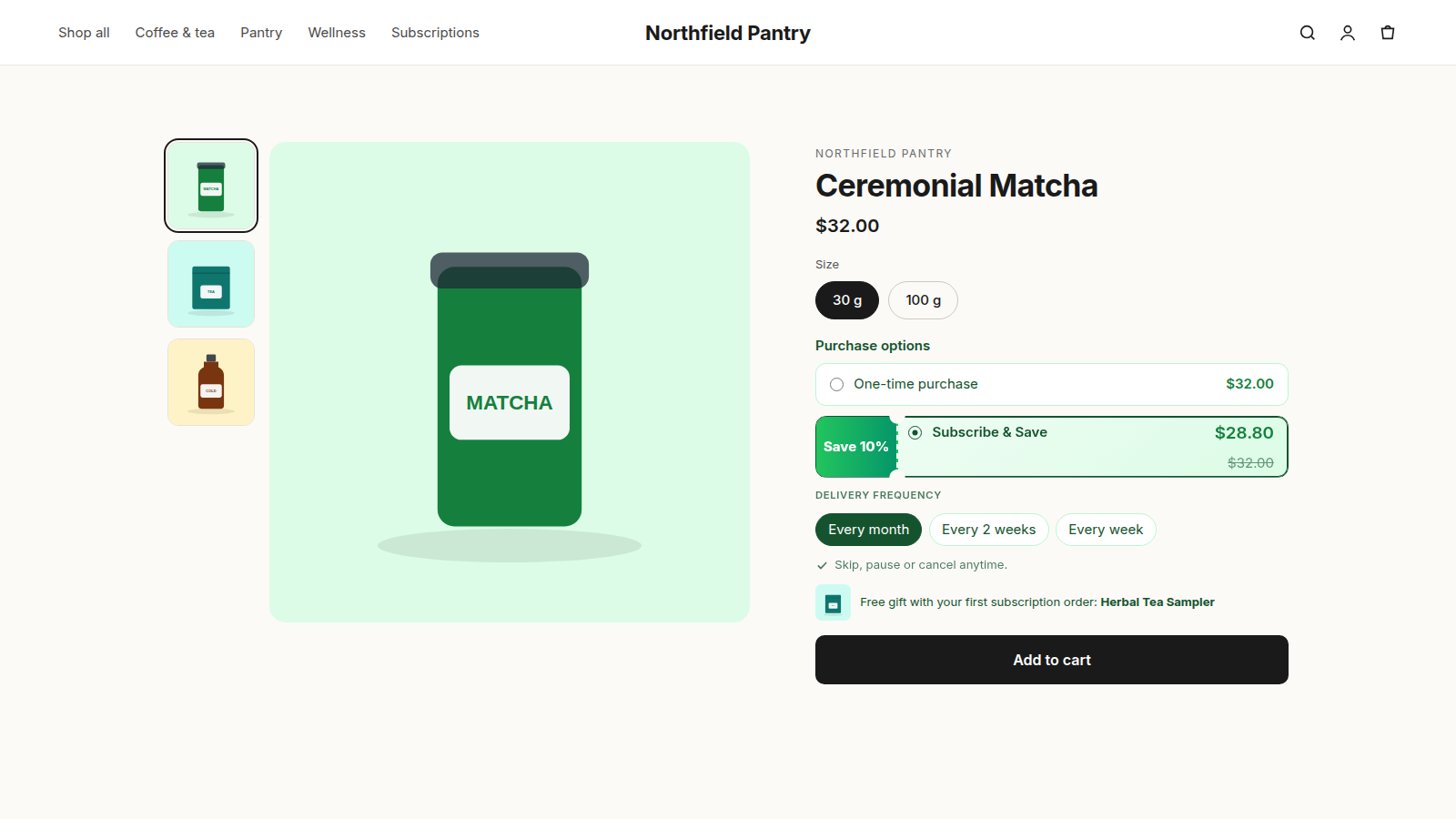
Shoppers see a clear choice above Add to cart: buy once, or subscribe and save. The discount and the lower price show up front, and they pick a delivery frequency in the same box.
How it helps you grow
- Shoppers see the saving before they add to cart, so more of them subscribe.
- Works with your current theme and your own Add to cart button.
- Choosing a delivery frequency takes one click.
Feature 3 of 11
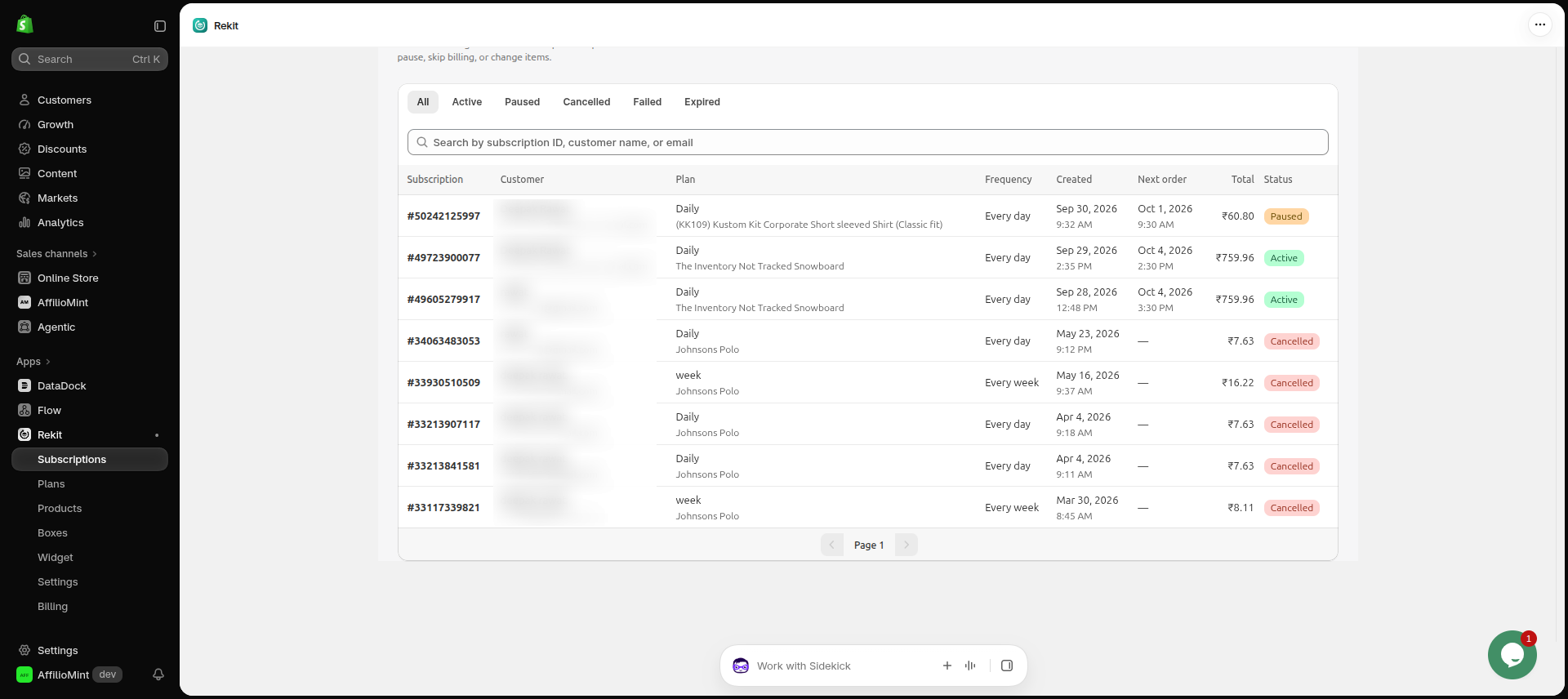
Every subscription in one place
Help customers fast, so they stay subscribed.
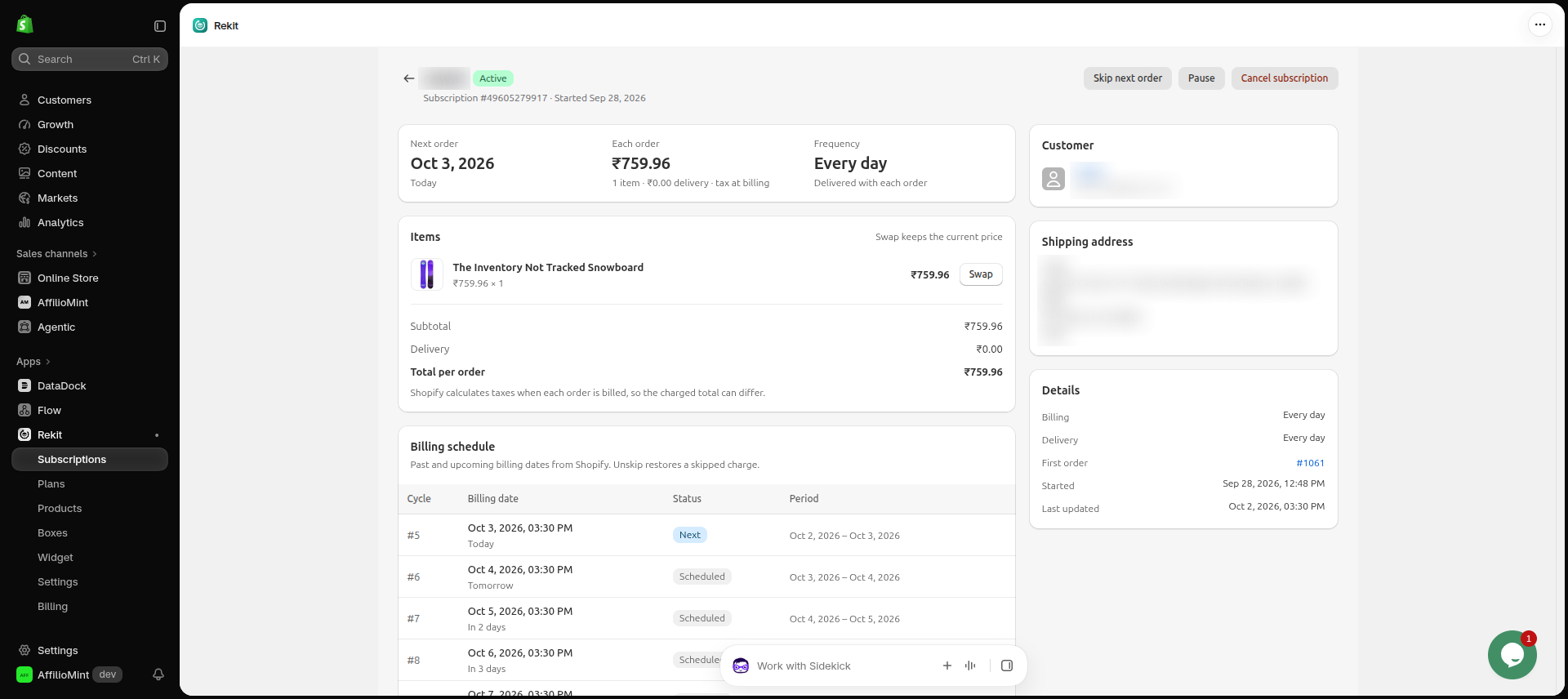
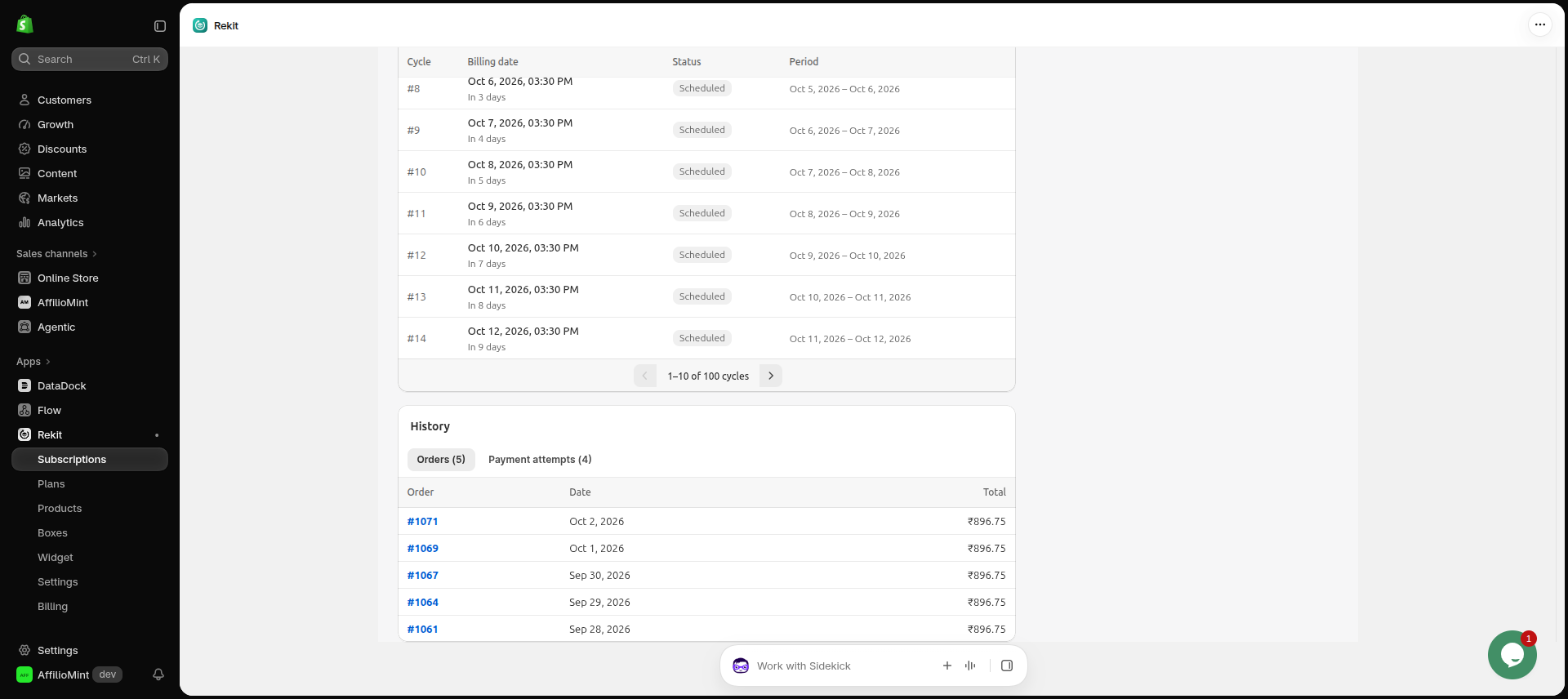
See all your subscriptions in one list. Filter by active, paused, cancelled or failed, or search by customer name or email. Open any subscription to see the next order date, what each order costs and the full billing schedule. Skip the next order, pause, swap a product or cancel for your customer, all from the same page. Export the list as a CSV file at any time, or import subscriptions from another app with one: each one keeps its next billing date, and customers get no "subscription started" email.
How it helps you grow
- Handle a customer request in seconds, before it turns into a cancellation.
- See upcoming billing dates, so you can plan your stock.
- Every past order and payment for the subscription in one list.
- Switch from another subscription app without asking customers to subscribe again.
Feature 4 of 11
Orders that create themselves
Repeat sales, with no extra work.
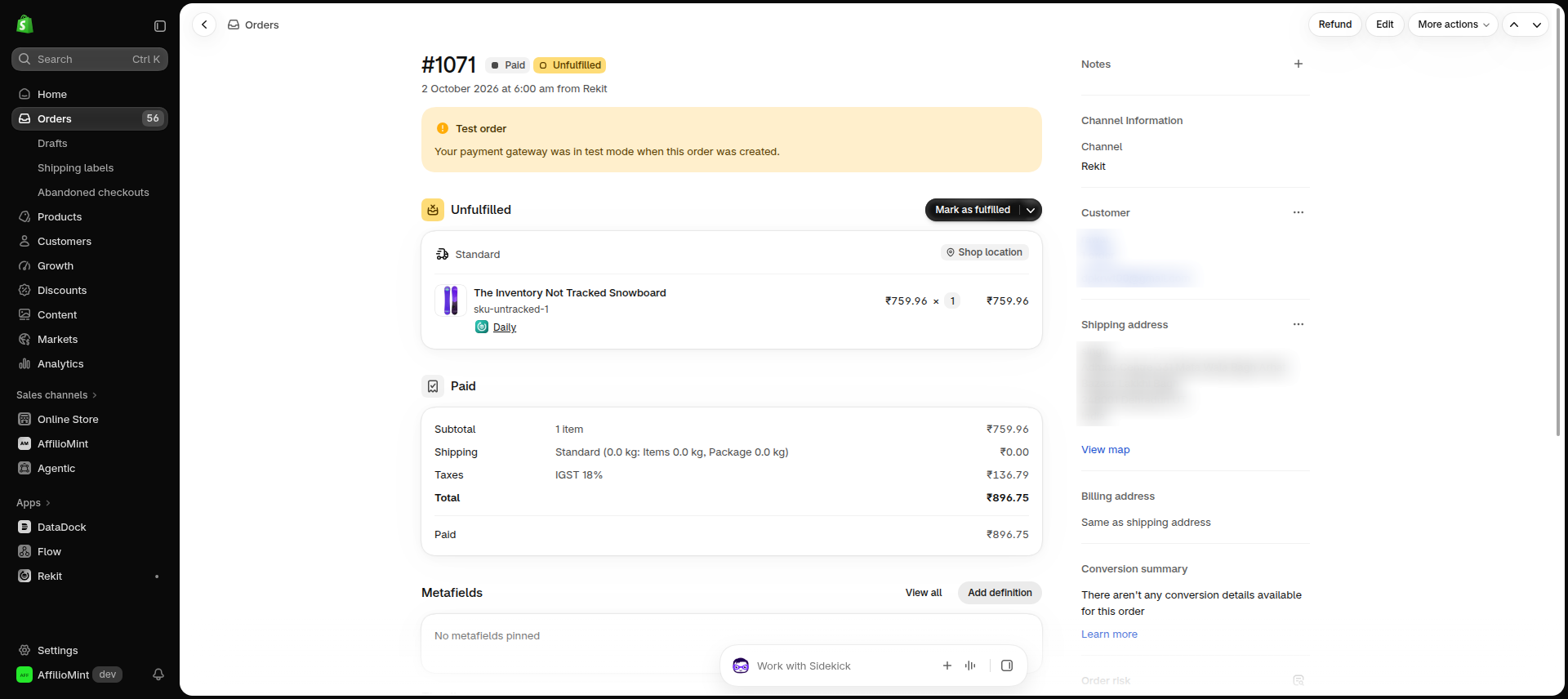
On each billing date, Rekit charges the customer and creates a normal Shopify order. It shows up in your Orders list with the plan attached, so you pack and ship it like any other order.
How it helps you grow
- Sales keep coming in without reminders or manual reorders.
- No new process: your team, apps and shipping work as they do today.
- Each order shows its plan, so subscription orders are easy to spot.
Feature 5 of 11
A portal for your customers
Fewer cancellations, fewer support emails.
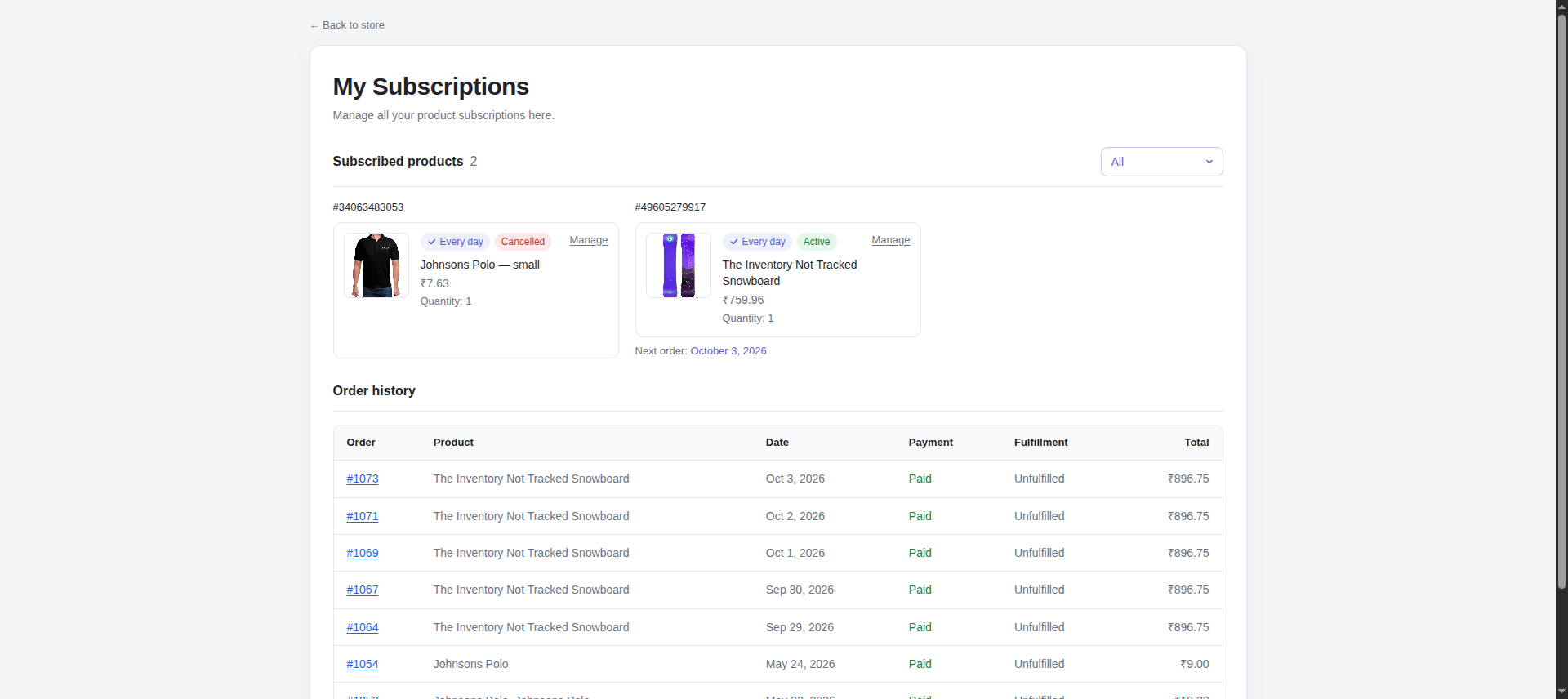
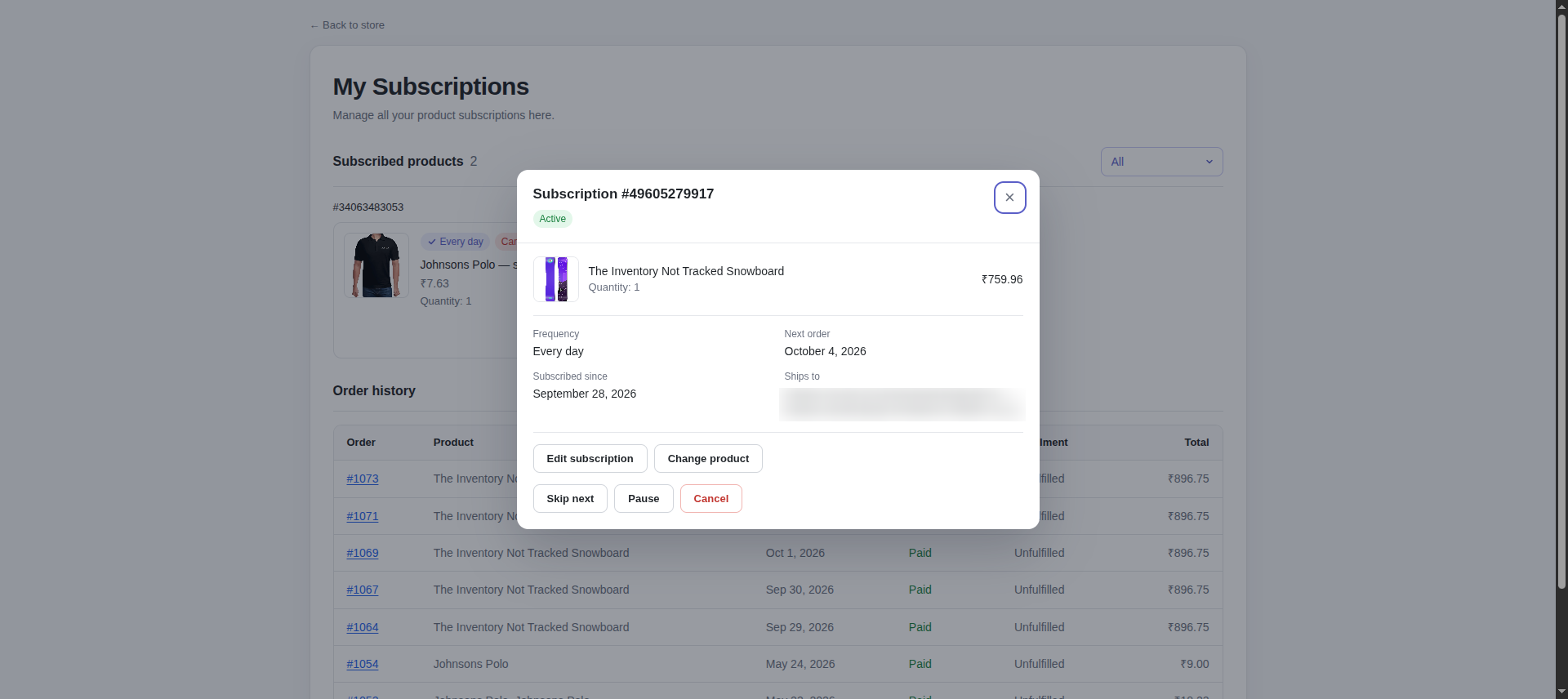
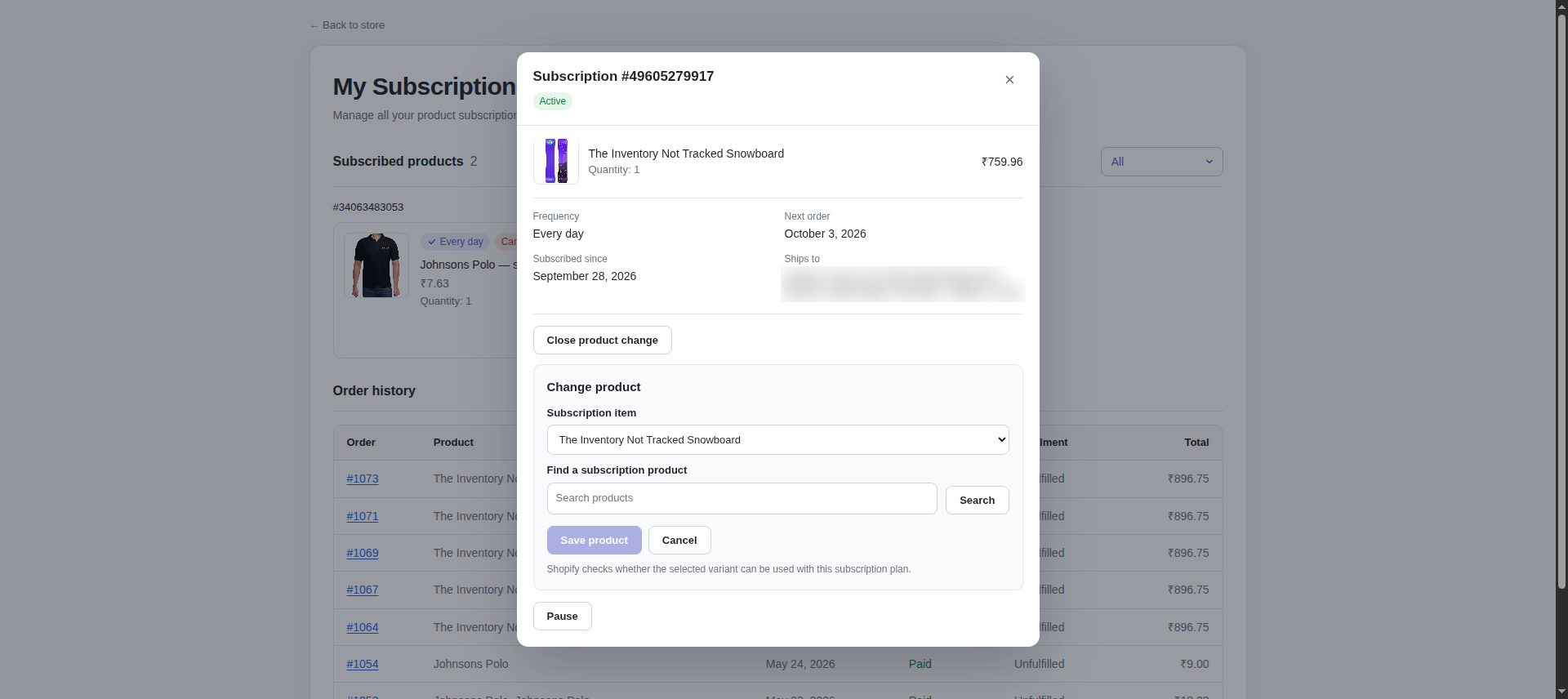
Subscribers get a My Subscriptions page on your store. They see what's active, when the next order ships and their order history. They can change the product, pause or skip without emailing you.
How it helps you grow
- Customers who can pause or swap are less likely to cancel.
- Customers who cancel can say why, so you know what to fix.
- Less time answering "can you change my order?" emails.
- It lives on your store, so customers stay with your brand.
Feature 6 of 11
A widget that fits your store
Looks like part of your store, so shoppers trust it.
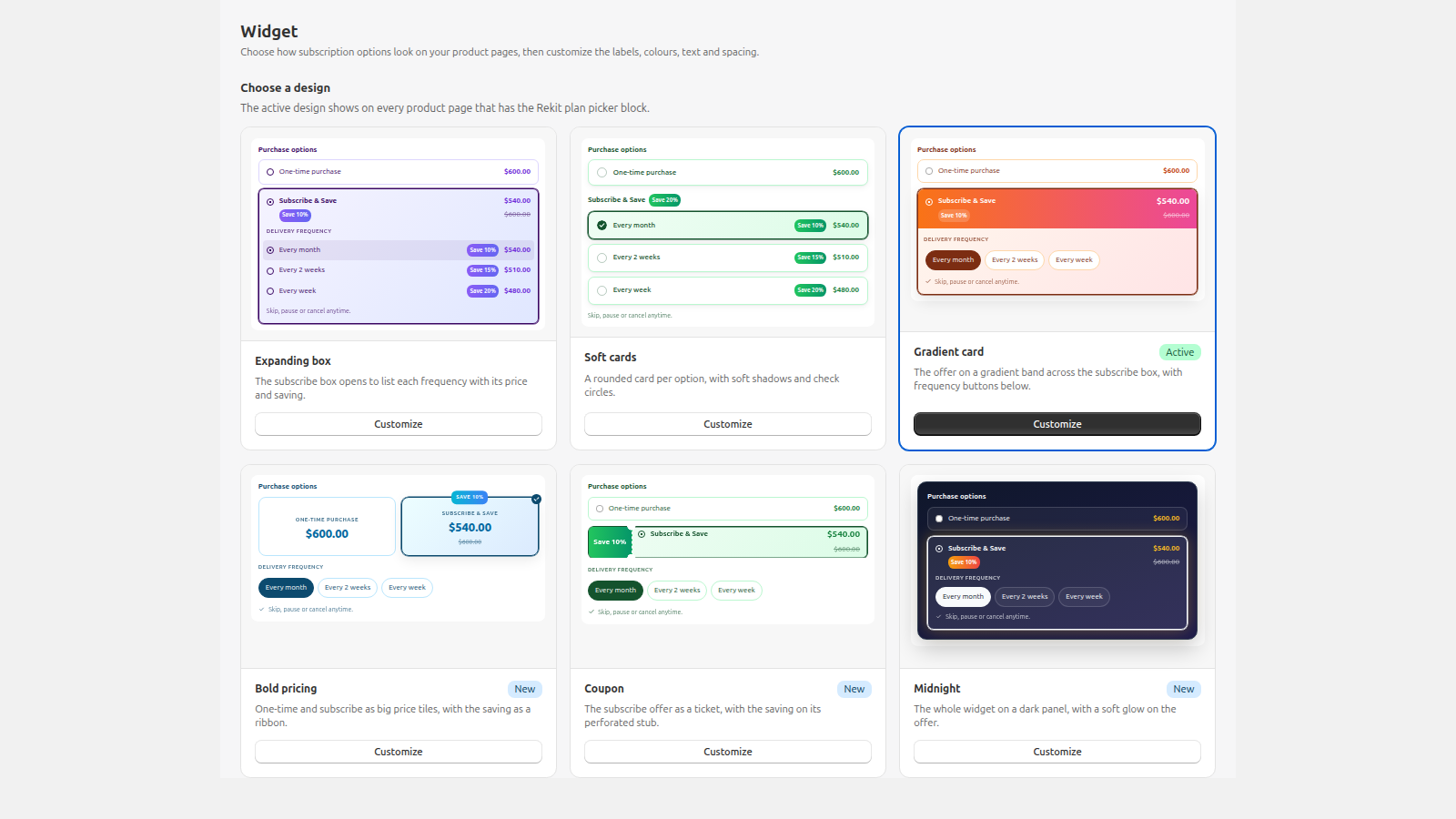
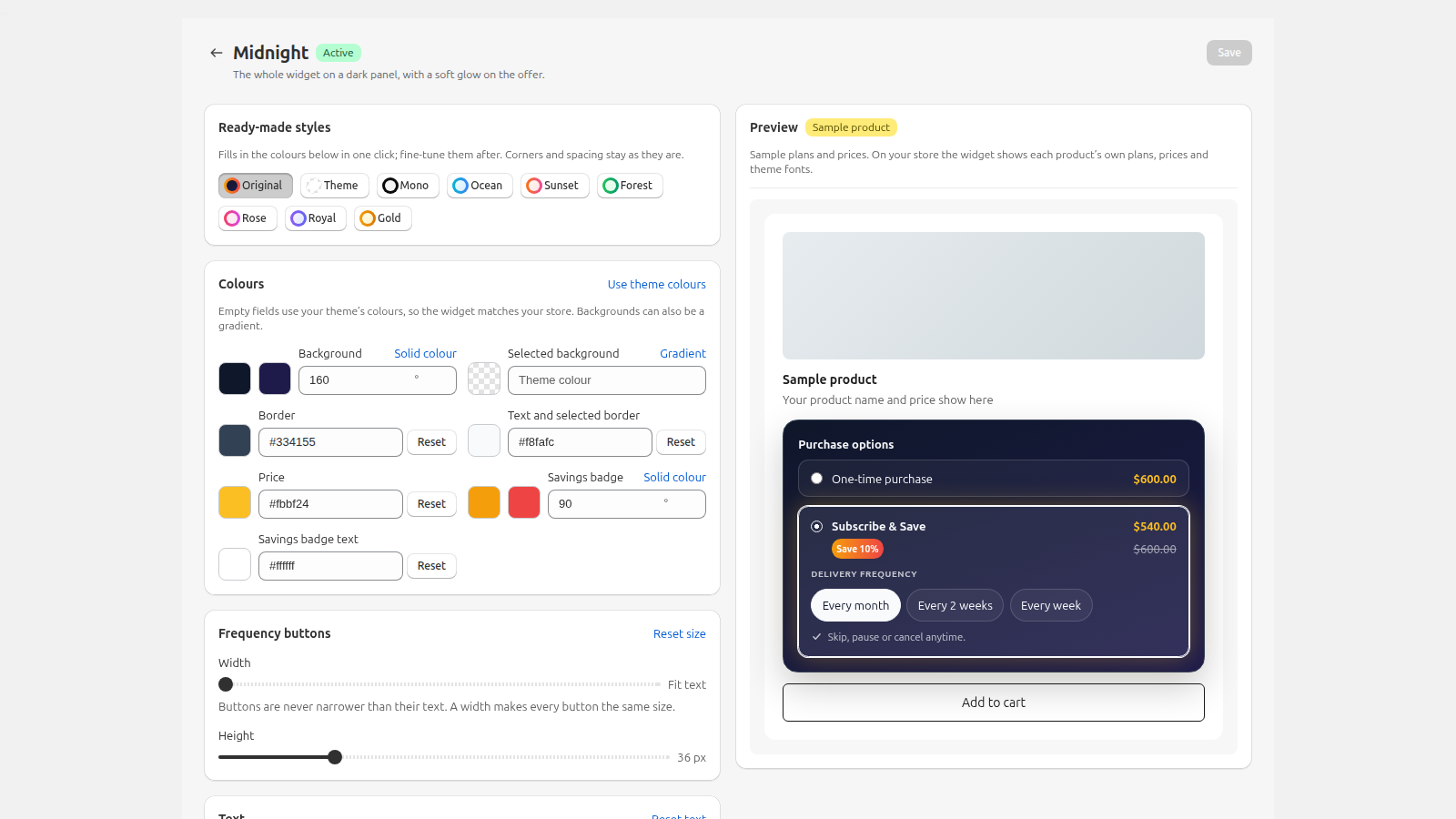
Choose from 16 designs for the purchase options, from a simple list to gradient cards, coupons and a dark panel. Pick a ready-made colour style in one click, then change the wording, colours (gradients too), fonts, corners and spacing, or add your own CSS, and watch the live preview update as you type. Each design keeps its own look, so you can try another without losing yours.
On the Freeze plan, the same Storefront widgets page has a Cart bundle tab: 7 designs for the "Complete the bundle" suggestions in the cart drawer and cart page, from full cards to compact rows, progress bars, a slider, side-by-side tiles, tabs and an accordion. Each bundle in the cart gets its own suggestion.
How it helps you grow
- A widget that matches your theme feels trustworthy and gets more clicks.
- Write labels like "Save 10%" in your own words.
- Use your theme's colours automatically, or pick your own.
- Fine-tune text size, weight, corners and spacing without touching theme code.
Feature 7 of 11
Bundle offers
More in every order.
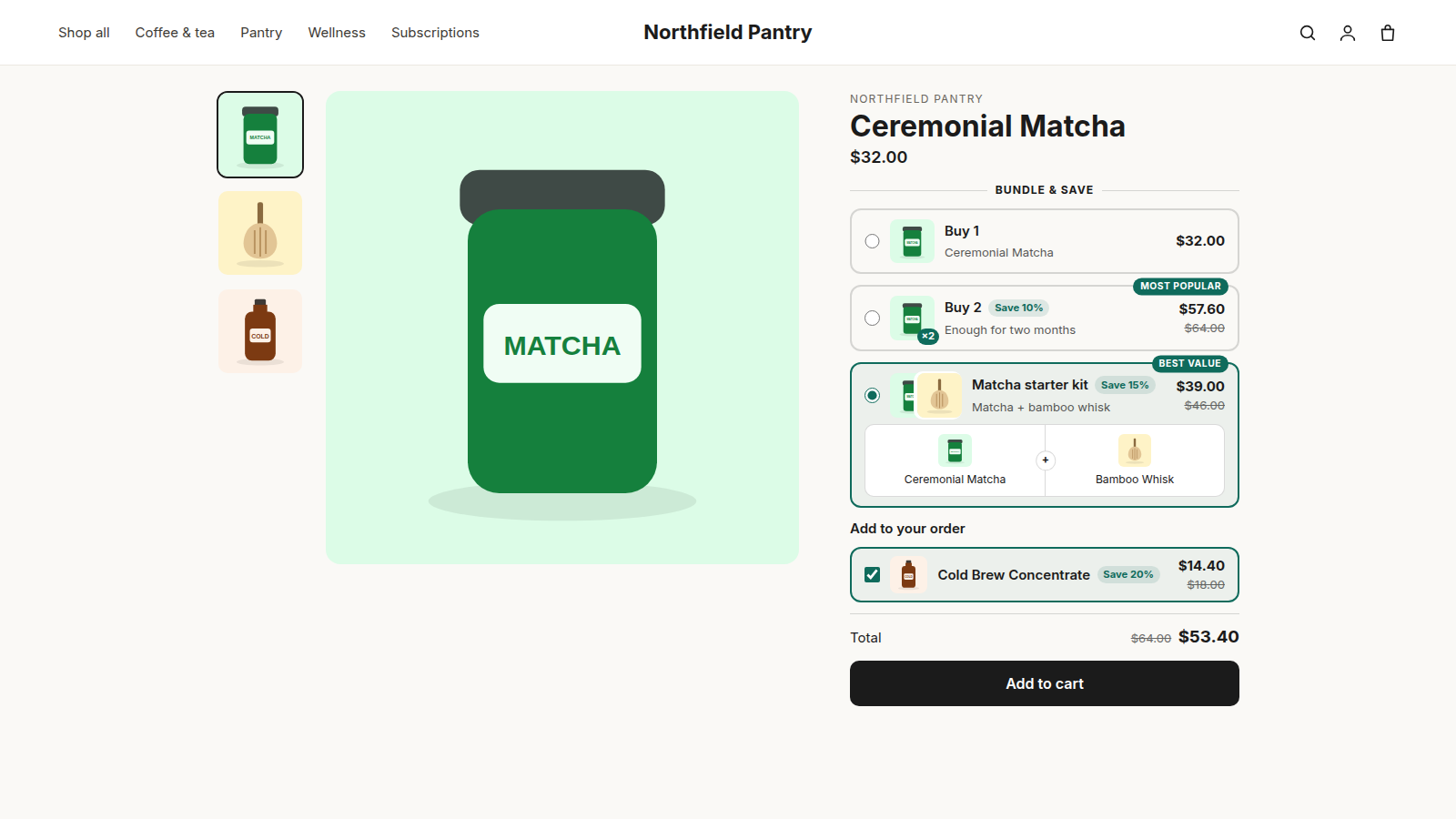
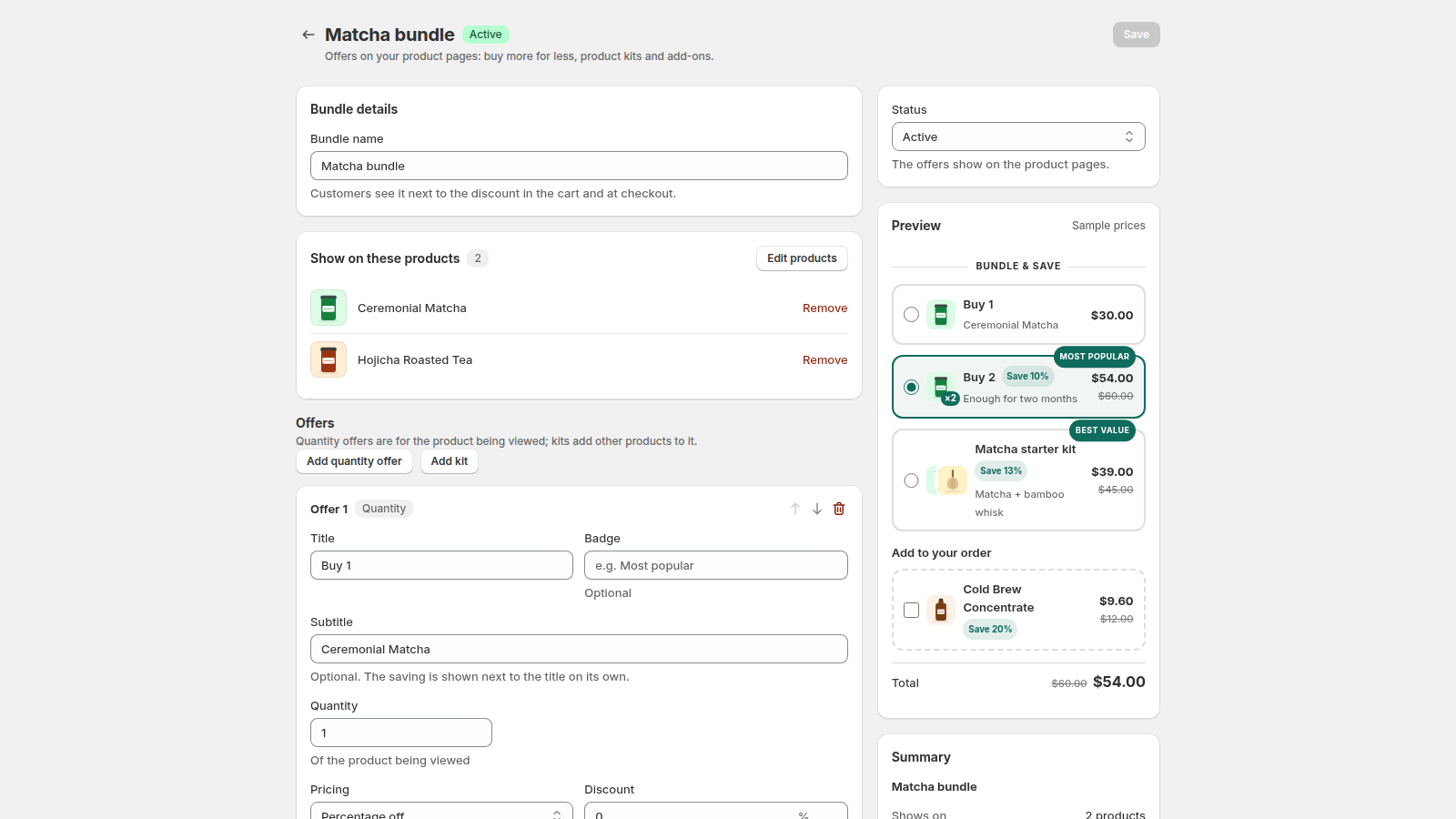
Show bundle offers right on your product pages: "Buy 2, save 10%", a starter kit of two or more products at one price, and add-ons customers can tick, each at its own discount. Customers see the saving on every offer, the discount is applied at checkout, and they can subscribe to a whole bundle and keep its price on every delivery.
How it helps you grow
- Customers buy two or three instead of one, at a price that feels like a deal.
- Kits and add-ons put your other products in front of them, right next to Add to cart.
- One block on your product page shows the offers wherever a product is in a bundle.
Feature 8 of 11
Market lock
Every order ships where it was priced.
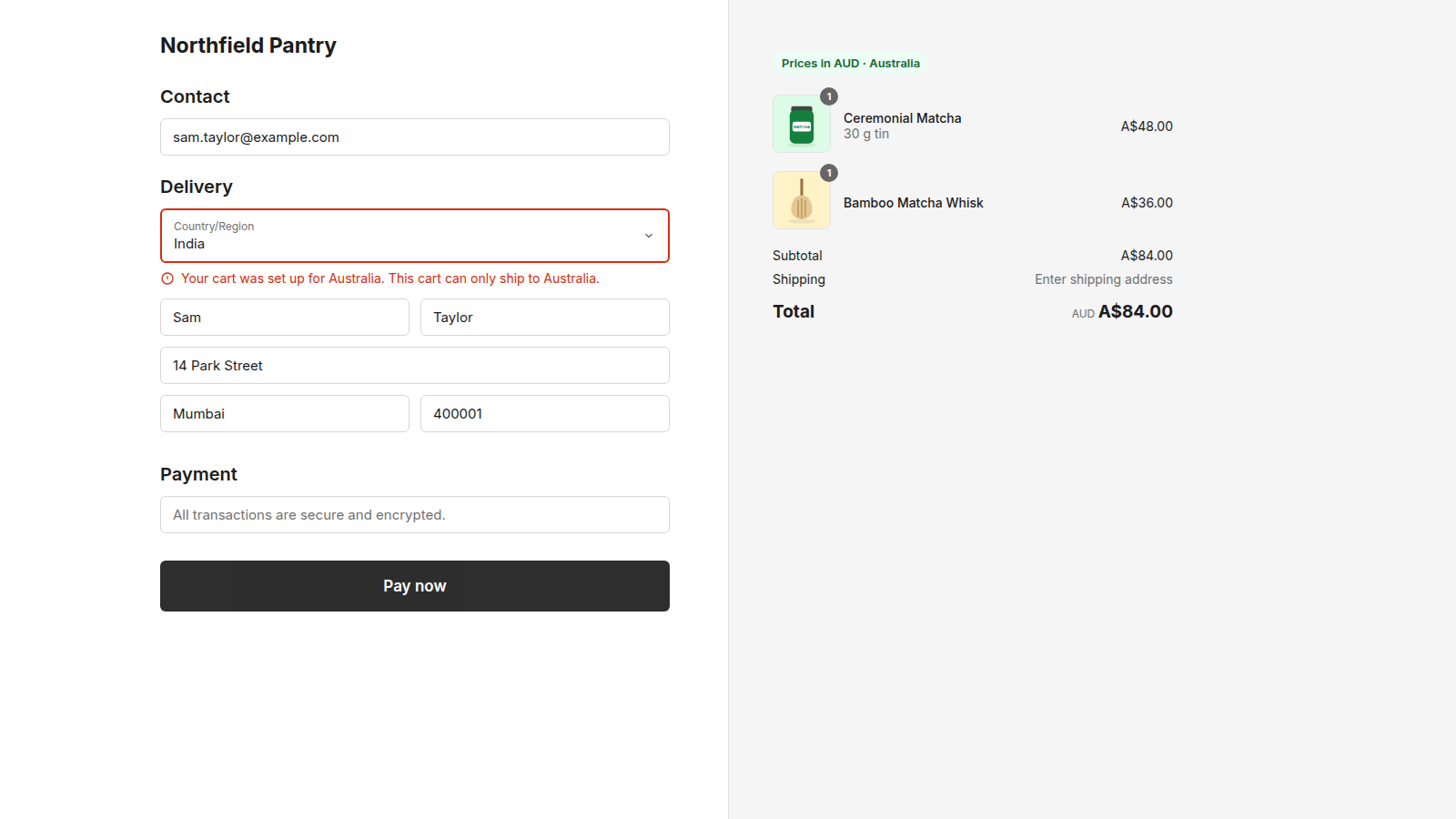
When you sell in several countries, each with its own prices and currency, a shopper can fill a cart in one market and then try to ship it to another. Market lock remembers the country each cart started in. If the shipping address is in a different country, checkout shows a clear message on the country field and the order can't be placed. Shoppers who really are in another country switch with your country picker.
How it helps you grow
- No more orders shipped abroad at another market's prices, currency or shipping rates.
- Optionally hides Shop Pay, PayPal, Google Pay and Apple Pay for those orders, so there's no way around it.
- Off until you turn it on, and never touches subscription renewals, local pickup or B2B orders.
Feature 9 of 11
Rules that keep subscribers
Protect your repeat revenue.
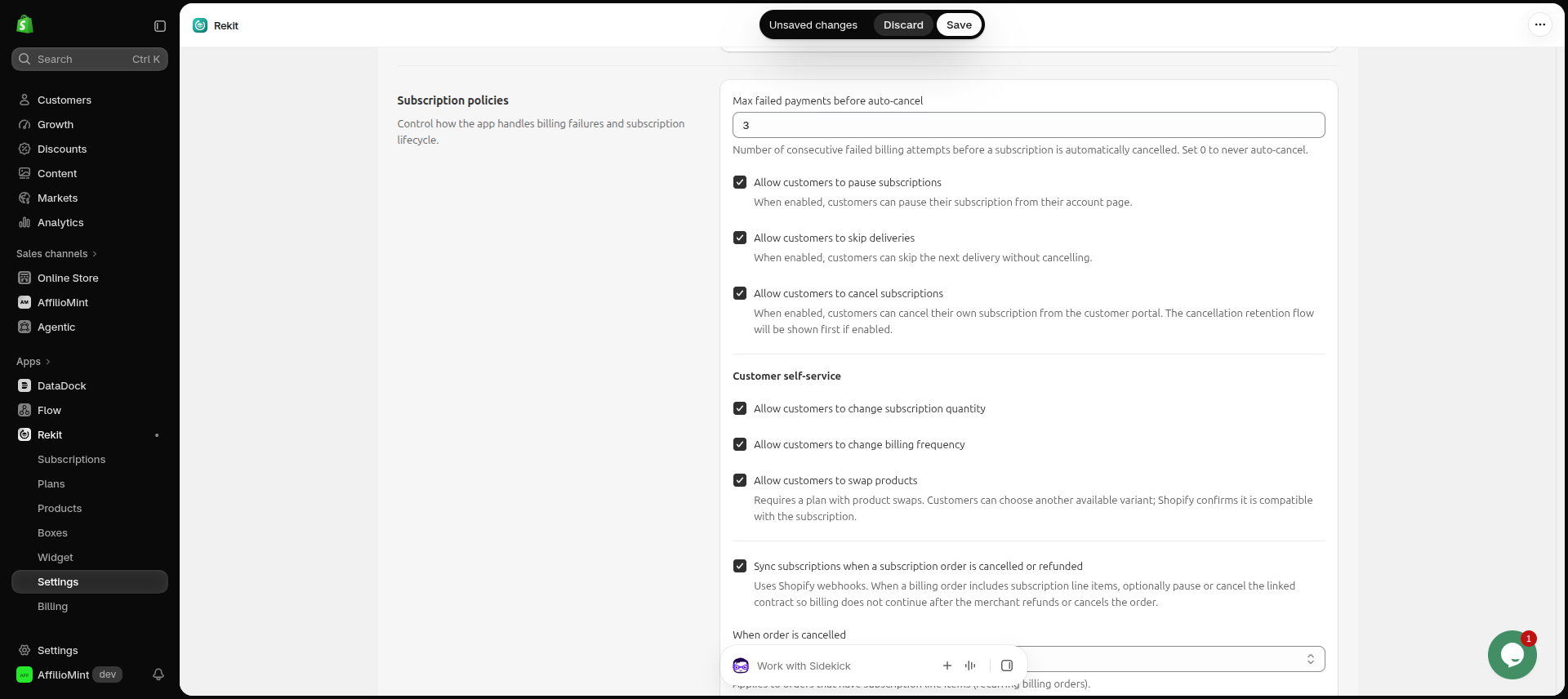
Decide what customers can do on their own: pause, skip a delivery, cancel, change quantity, change how often they get it, or swap products. Choose how many failed payments to allow before a subscription ends, and stop billing automatically when you cancel or refund an order.
How it helps you grow
- Customers can skip or pause to take a break instead of leaving for good.
- Failed payments are retried before a subscription is cancelled.
- No surprise charges after a refund, which keeps customers' trust.
Feature 10 of 11
Track your growth
Know what's working, at a glance.
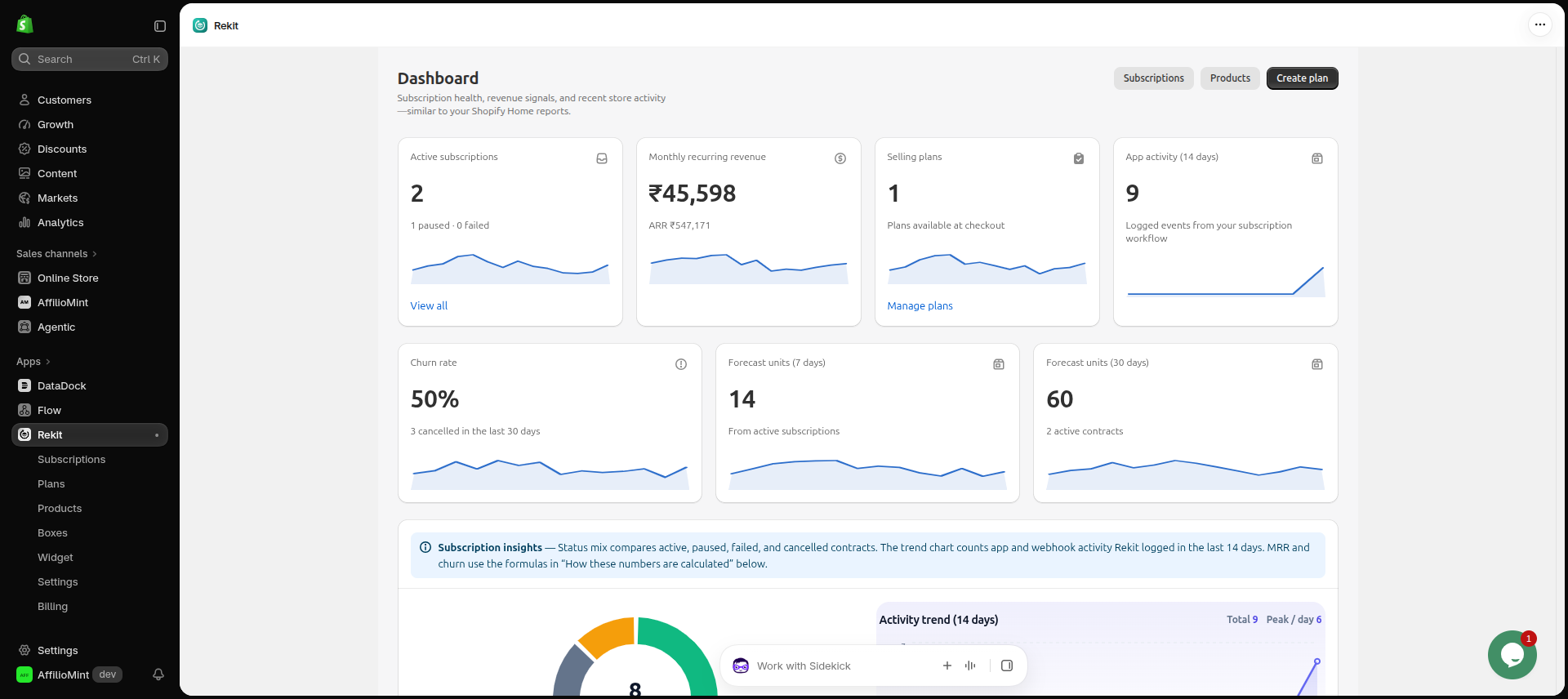
The dashboard shows your active subscriptions, monthly recurring revenue (MRR) and yearly revenue (ARR), your churn rate, how your subscriptions split between active, paused, failed and cancelled, the reasons customers give when they cancel, and how many units your renewals will need over the next 7 and 30 days.
How it helps you grow
- See your recurring revenue in one number, so you know where you stand.
- Spot a rise in cancellations early, see why customers leave, and fix the top reason.
- Order the right stock for upcoming renewals, so you never run out.
Feature 11 of 11
AI image enhancer
Store-ready product photos in one click.
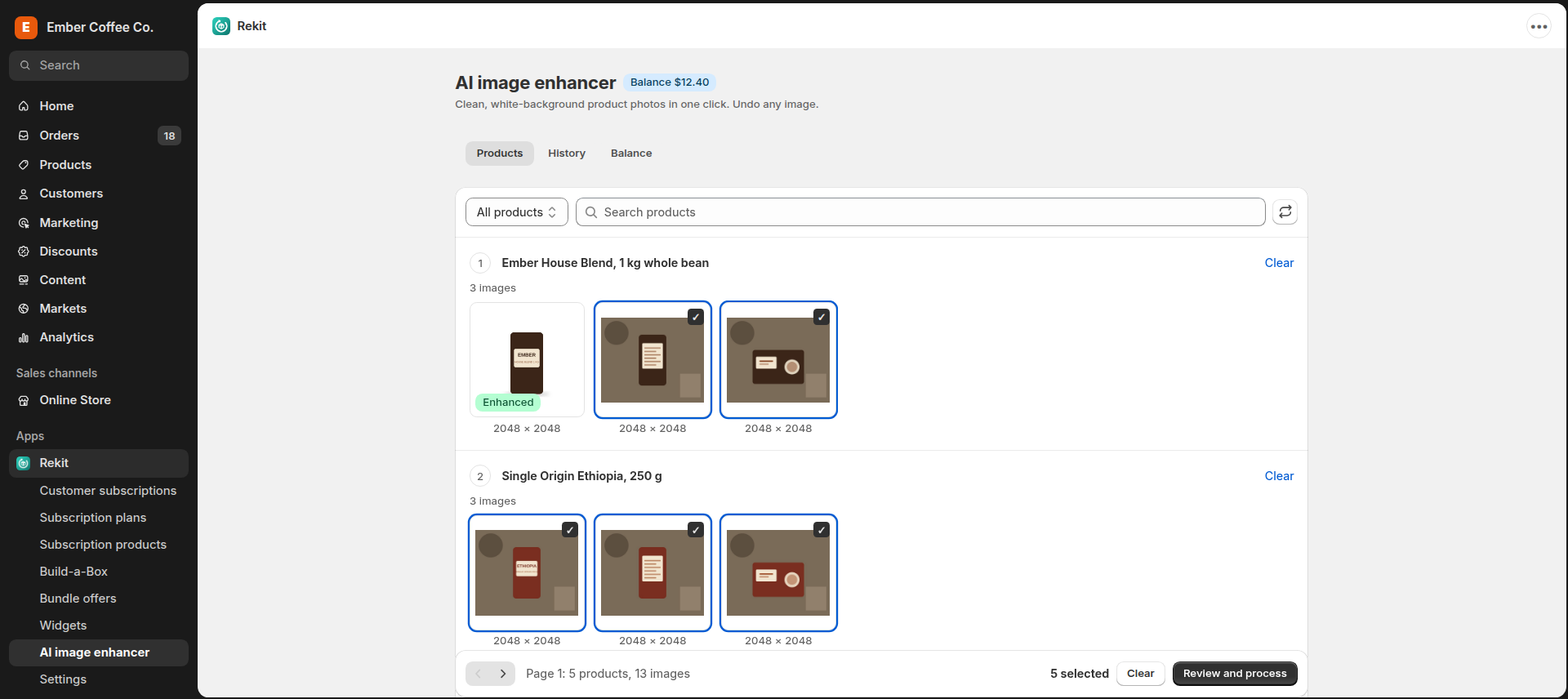
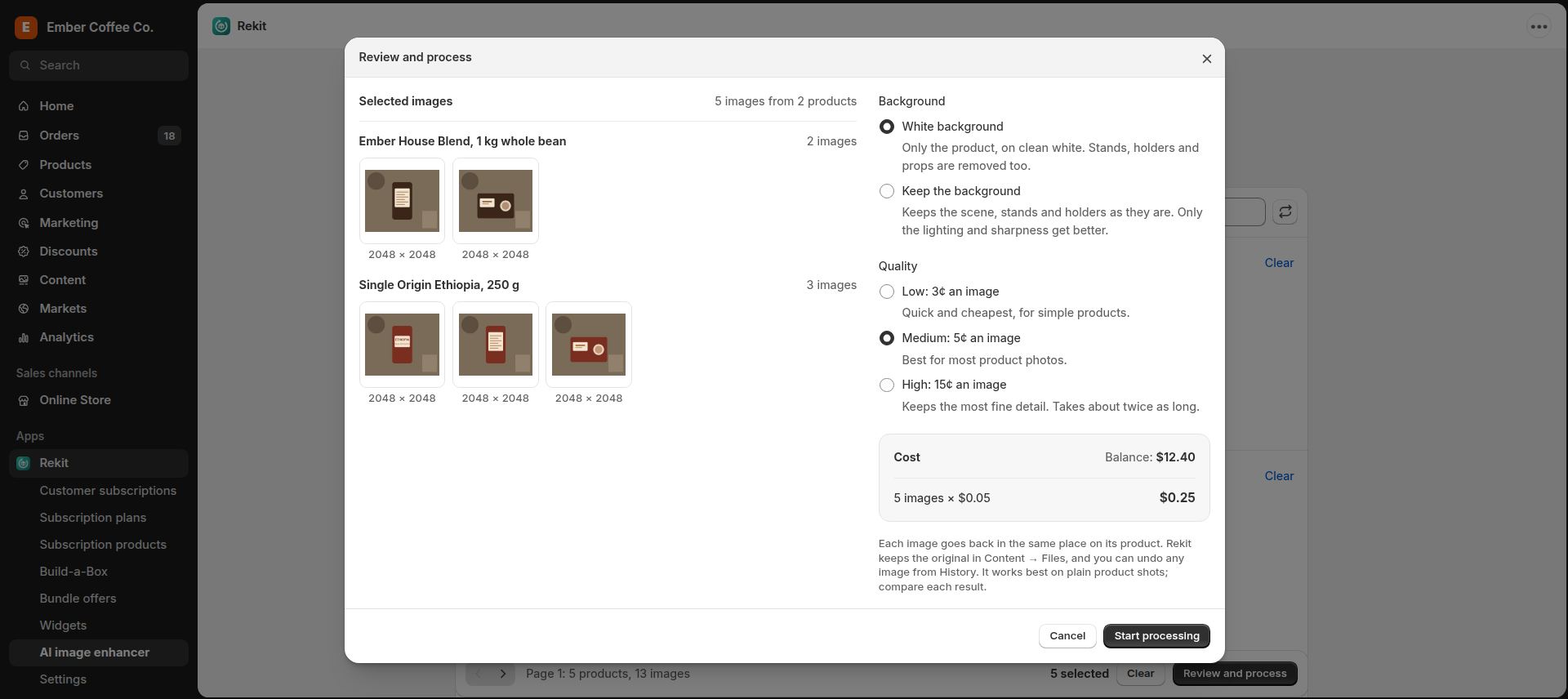
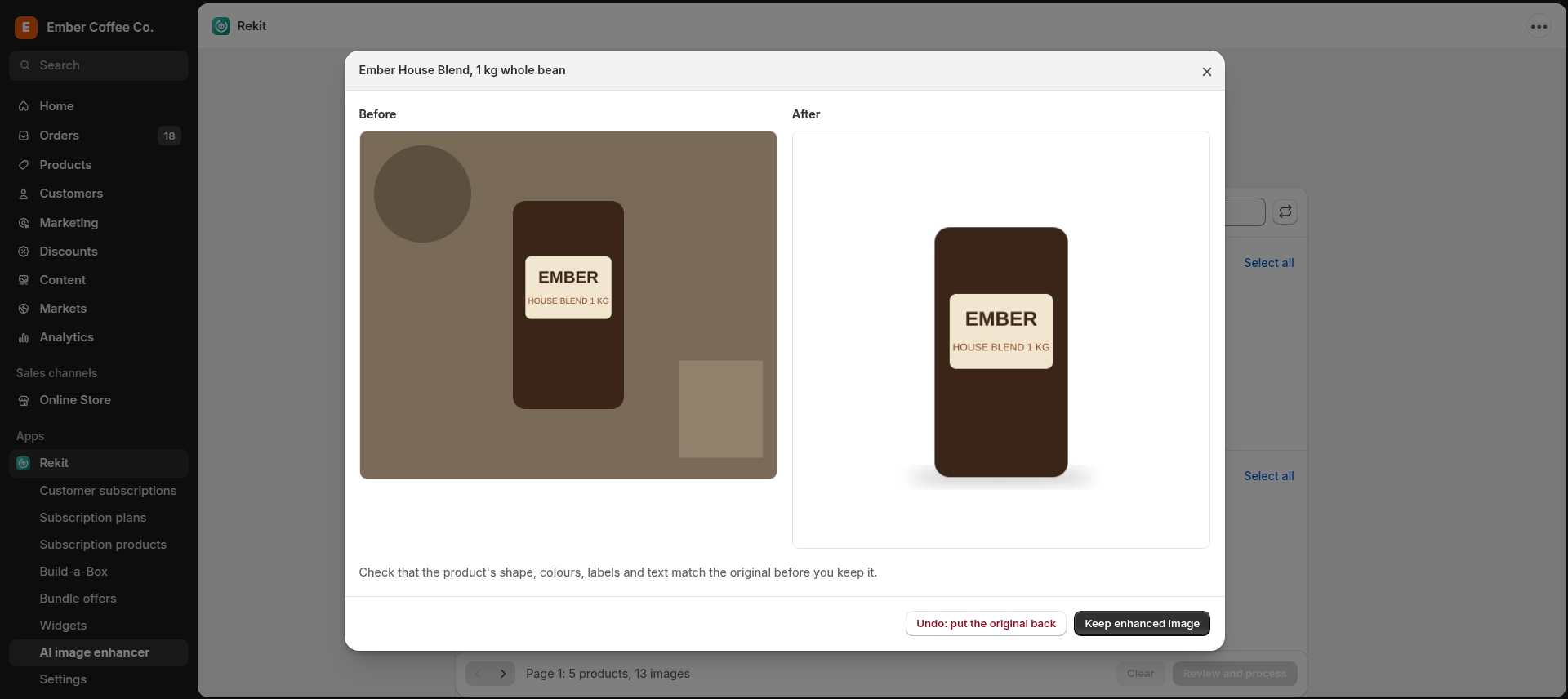
On the AI image enhancer page, pick the product images you want, variant images included, and choose Review and process. Choose a clean white background or keep your own scene, pick a quality, and see the cost before you start. Each image gets even lighting and sharper detail and goes back in the same place in your store, so your gallery order and variant images stay as they are. Compare any result with its original and undo it in one click; Rekit keeps every original in Content → Files. It works best on plain product shots.
How it helps you grow
- A catalog that looks consistent and professional, without a photographer or an editing app.
- Images already enhanced are skipped, so new photos are all you pay for.
- Pay as you go on every plan: 5¢ medium or 15¢ high quality an image, from a balance you top up on your Shopify bill. Every store starts with 2 free high-quality images, and a failed image costs nothing.
Ready to grow your repeat revenue?
Install Rekit and start free with up to 25 subscriptions. Some features, like bundle offers, all 16 widget designs and the revenue numbers on the dashboard, come with a paid plan.